network.id is an online Marketplace for shops that keep ISX on their own PC. Your own storefront and banners, chat with buyers through a link, and web orders that land in ISX as Sales Orders.
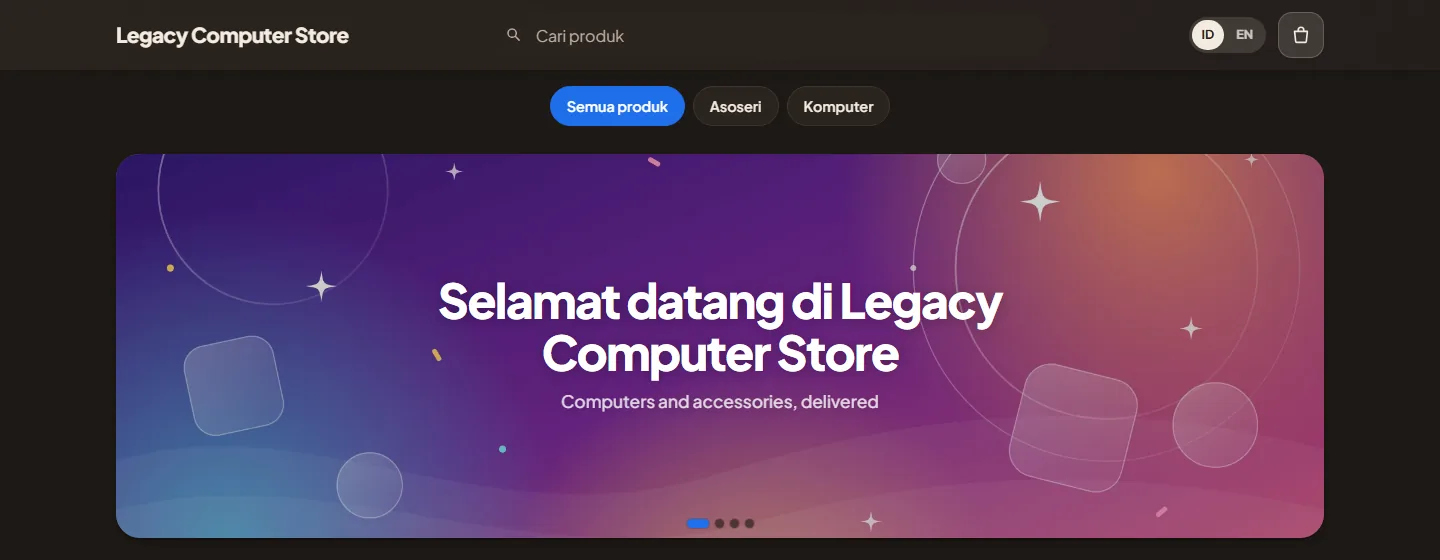
Every shop gets its own address, yourshop.shop.network.id, with your logo, your colours, your own banners and product photos you upload many at a time. Buyers browse, search, put items in the cart and order from a phone or a computer.
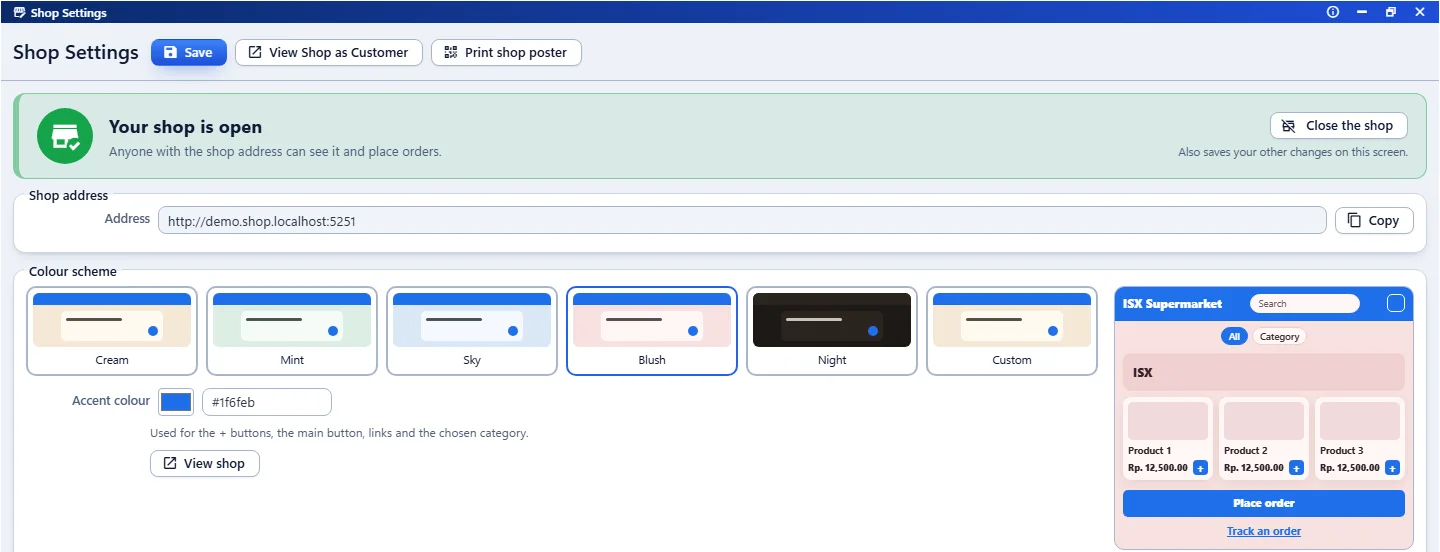
Shop Settings
Your own address
yourshop.shop.network.id, ready to share on WhatsApp, Instagram or a printed poster. Ask us, and a web address you own can open your shop and your staff area too.
Banners and hero slides
Put your own banners at the top of the shop: a picture or a ready-made design with your words, as many slides as you like.
Your colours
Pick a colour scheme or your own accent colour, and see the storefront change as you choose.
Search, sort and filter
Buyers search by name, sort by price or best selling, and can show only what is in stock.
Links with a preview
A shop or product link shared on WhatsApp, Facebook, Telegram or X shows its name and picture.
A poster for the counter
Print an A4 poster with your logo and a big QR code of the shop.
Order tracking
Every order has a tracking page the buyer can open again, with its status, the courier and tracking number, and the items ordered.
Order again
On the tracking page, one button puts the same items back in the cart at today's prices.
Product photos
From shelf to shop
Snap. Match. Sell.
1
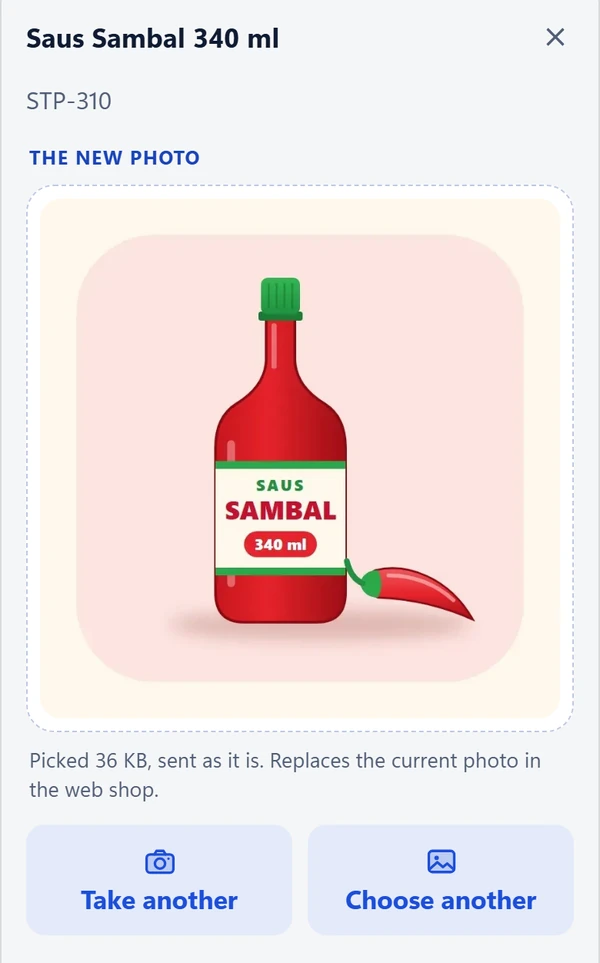
Photo from your phone
Open Product Photos on the phone, pick the product, then take a photo or choose one from the gallery. The phone makes it smaller before sending it.
2
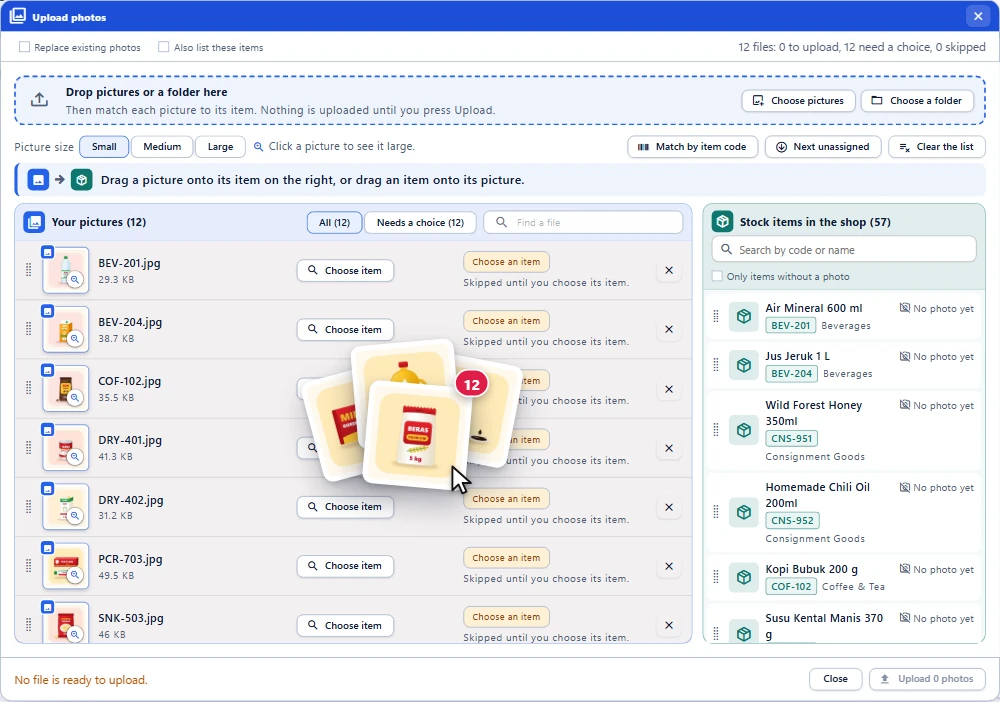
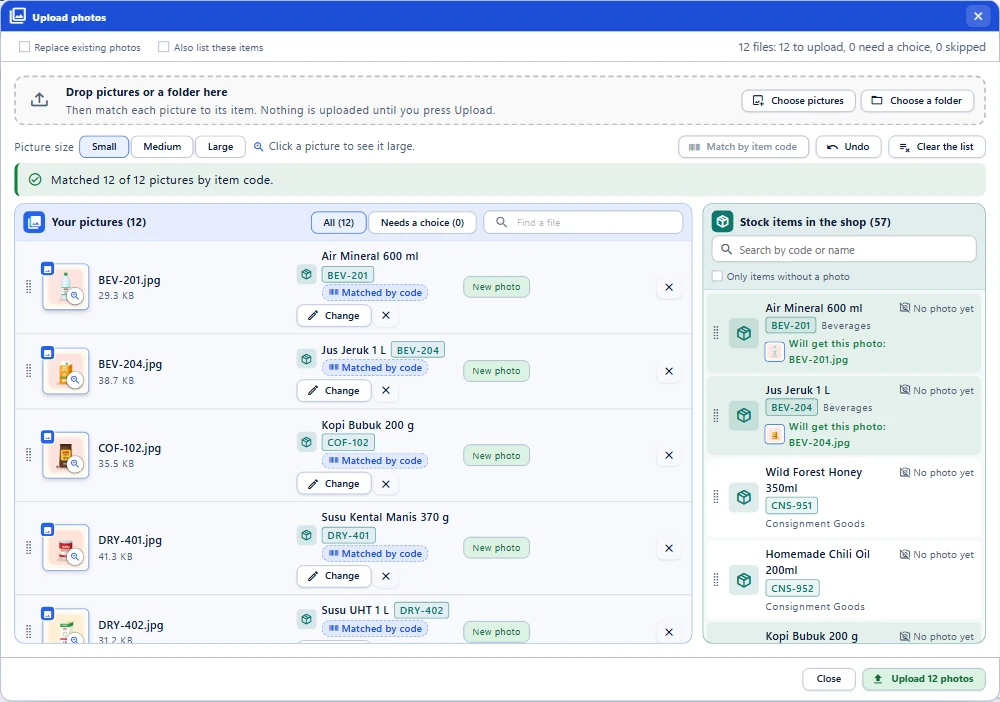
Upload all your photos at once, just drag them in
In Products for Sale, Upload photos takes many photos or a whole folder at once. Drag a photo onto its product, or the product onto its photo.
3
Photos find their own product
Name each photo after its item code and press Match by item code: every photo goes to its product. Nothing is uploaded until you press Upload.
Chat
Talk to buyers through a link.
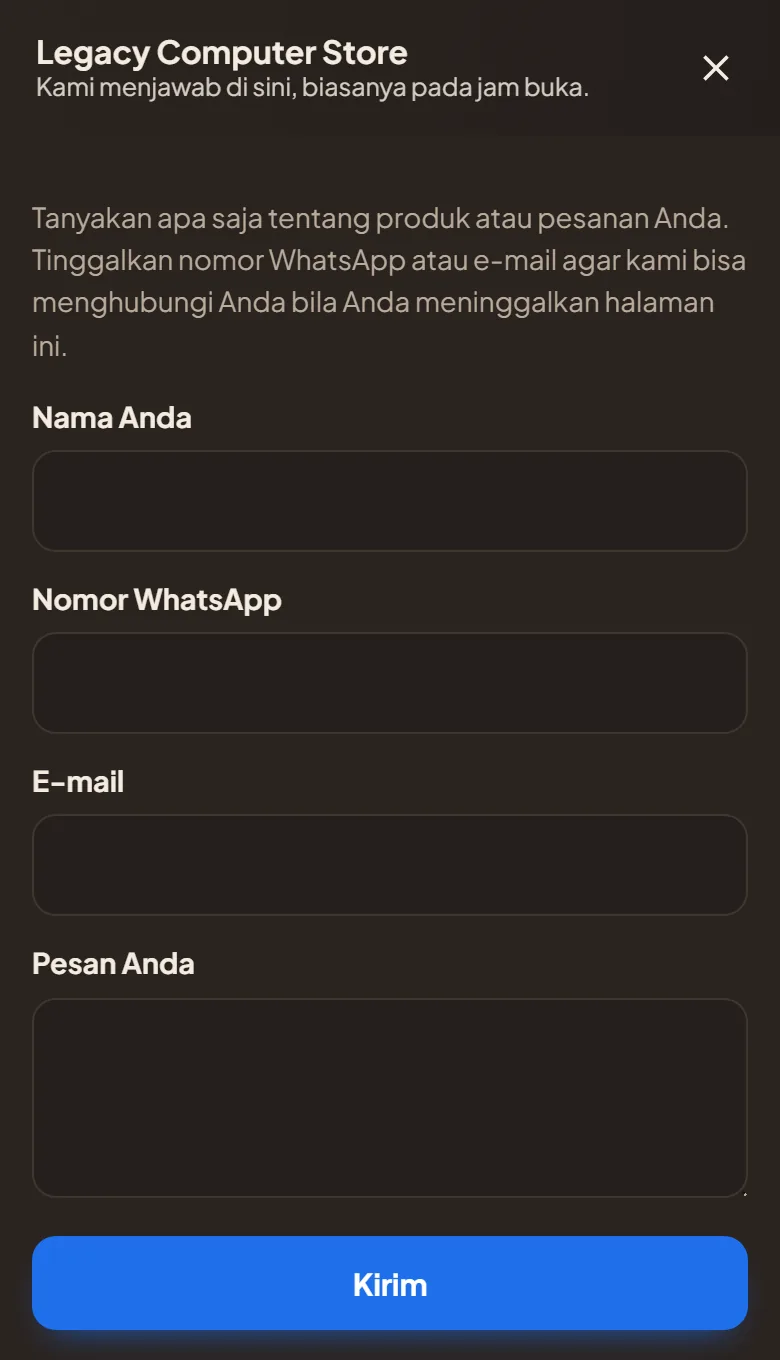
A buyer taps Chat on your shop, or opens a chat link you send. No account and no app: they type a name, a WhatsApp number or an e-mail if they like, and their question. You answer from Chats in your staff area, on a computer or on your phone.
No sign-upNo app to installUnread count on your screenShop Chats on your phone
Orders
Web orders land in ISX.
Keep the ISX desktop program you know on your own PC. network.id puts each web order into it as a Sales Order, so you prepare, deliver and invoice it the way you always have. Your stock and prices travel the other way, from ISX to your web shop.
The buyer orders
From the storefront, for pickup or delivery, with a name and a phone number; a buyer from abroad picks their country from a list. No account needed.
It gets a web number
Web orders have their own numbers, ONL0000001 and up, so your desktop numbering is never touched.
It lands in ISX
The order arrives in the ISX desktop program as a Sales Order, ready to prepare.
You keep the buyer posted
Online Orders opens each web order in a window with its items and status (Packing, Ready for pickup or Ready to send, Sent), and writes a ready WhatsApp update for the buyer, who also follows it on the tracking page.
Stock and prices from your PC
The network.id Connector, a small program on your shop's PC, keeps the web shop in step with ISX: stock follows the till, and items and prices are updated automatically. Products for Sale in your staff area updates by itself when an item changes in ISX.
Stock: follows the tillItems and prices: updated automatically
Checked at checkout
When your shop shows stock, the checkout asks your PC for the latest figures before the order is placed, tells the buyer what is short and offers a button to fix the quantity. A switch in Shop Settings, off unless you turn it on, holds the stock on web orders not yet invoiced, so two buyers can't both take the last one.
Only 1 leftChange to 1
Online Orders
Delivery
One delivery fee, set by you.
Buyers choose pickup or delivery. For delivery the shop sets one flat fee, and the buyer sees it before ordering.
A flat fee
One amount for every delivery order, added to the order total.
The amount you choose
Or free delivery
Set the fee to 0 and the shop shows free delivery.
Fee 0: free delivery
Dealers
Help near you.
ISX dealers across Indonesia install and support the ISX desktop program. Pick a city on the map to see who is there.
Swipe the map sideways to see every city.
DealerHead office, Jakarta
Open your shop on network.id.
Tell us about your shop and we will show you around.